
Group3 Digital Teslameter, 1-axis, DTM-133

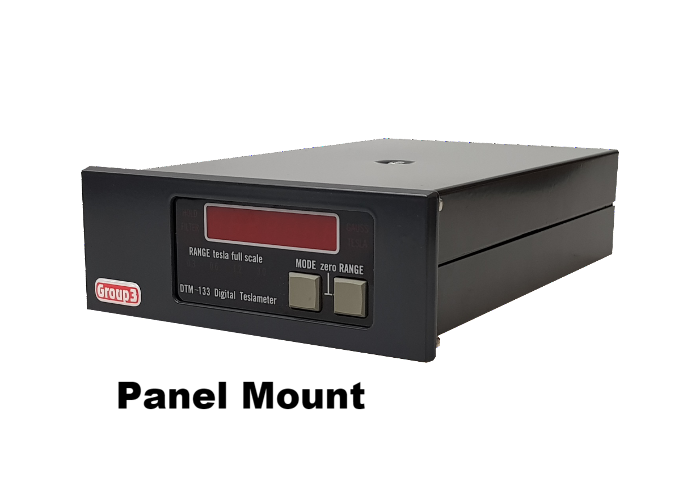
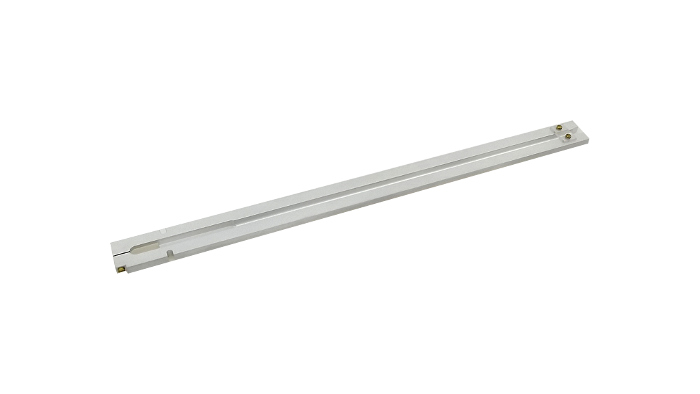
The Group3 DTM-133 is a high performance Hall effect teslameter (gaussmeter) with digital linearity correction to provide 0.03% accuracy, resolution to 100ppm, and a temperature stability of 100ppm/°C. For the most demanding applications, the DTM-151 with digital linearity and temperature correction has 0.01% accuracy, resolution to 2ppm, and a temperature stability of 10ppm/°C should be used.
The DTM-133 digital Hall teslameters (gaussmeters) provide superior accuracy, resolution, and long term measurement stability. They outperform other commercially available Hall effect based instruments for precision applications of field mapping, magnet field control, magnetic sensor calibration, and permanent magnet quality control.
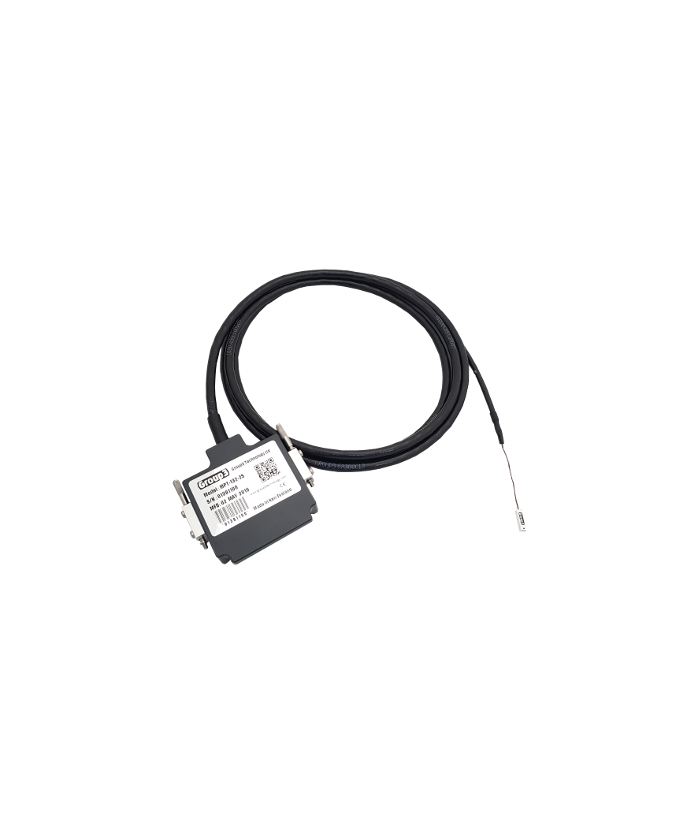
All Group3 Hall probes are pre-calibrated against an NMR (Nuclear Magnetic Resonance) Teslameter (Gaussmeter) over their operating field and temperature range. The unique characteristics of each probe are stored in an EPROM located in the probe connector. This enables the probes to be interchanged without recalibration.
These teslameters (gaussmeters) are particularly suitable for permanent installation in particle accelerators or test and measurement equipment. They are mechanically compact, and up to three units may be installed in a single 2U EIA 19″ rack panel. Their high brightness LED displays can be viewed from any angle, in low ambient light, and from several meters distance. Special attention has been paid to circuit and software design to ensure completely reliable operation in electrically noisy environments.
The two available interfacing options are IEEE-488 or RS-232C. The serial interface includes a fiber optic port to enable operation of the DTM at a high voltage with respect to the host computer.
Tech Support
- Effects of Irradiation on Hall Probe Sensitivity, LLNL
- Using the DTM in electrically noisy environments
- Recovery when DTM tables are overwritten
- Replacement of the DTM Firmware
- Occupational Magnetic Fields – Guidelines for DC Fields
- Magnetic Field Vectors and Components
Using the DTM in high voltage or electrically noisy environments
When using the DTM in electrically noisy environments, it is important to properly ground the instrument to protect it against high voltage transients. These transients can come from many sources, and could cause any number of problems ranging from overwriting the user and calibration tables, to actual physical damage to the DTM. We have prepaired a series of documents to guide in the proper installation and grounding of the DTM.
Download:
- Fast Transient Immunity: Testing the Group3 DTM-151 to IEC1000-4-4
- Fiber Optic Communications with Group3 DTMs
- Installation Techniques for Electrically Noisy Environments
- DTM Grounding Instructions
Recovery when DTM tables are overwritten
There are times when all the transient protection in the world just does not stop the random hit. If you are using the DTM with either of the computer interfaces, it is possible to detect and correct the error under automatic computer control, minimizing down time. While this paper does not provide computer code, it does outline the steps required to make an automatic recovery.
Download:
Replacement of the DTM Firmware
Periodically the firmware for DTM is revised, and it is often advantageous to upgrade the firmware. Here we have a list of the firmware revisions for all of the Group3 DTMs, and instructions on how to replace the EEPROM. Do keep in mind that just because there is a new version, it is not necessary to upgrade. The simple rule is: Only upgrade if you require it to fix a bug that may affect you, of if it offers a new feature that you desire.
Download:
- My DTM displays the wrong field, over-range, or overflow
- What is the ‘users’ modification table?
- Why would I not want the DTM to reset with power-on?
- How do I reset the DTM?
- What causes the tables to be overwritten?
- When communicating with the DTM, after a short time it displays ‘Group3’
- The DTM displays ‘Group3’ all the time
My DTM displays the wrong field, over range, or overflow
There are many reasons why a DTM may display a reading that is not what was expected. It could be in the wrong operating mode (AC vs DC), the ‘users’ modification table may have been changed, the calibration table may have been overwritten, or the probe or DTM has been damaged. In most cases, and simple reset of the instrument will solve the problem.
What is the ‘users’ modification table?
The users modification table is a series of values used to change the displayed field reading. These factors include filtering, zero, offset, scale, and others.
Why would I not want the DTM to reset with power-on?
If you have programmed a series of values in to the users modification table, or want to retain the zero point on the probe, you would not want the DTM to reset on power-on. The power-on reset would reset the table to it’s default values, and you would then be forced to re-enter all of your user factors.
How do I reset the DTM?
The behavior of the power-on reset is controlled by a micro switch on the interface board in the DTM. If the switch is in the ‘off’ position, no reset is executed during power-up. If the switch is in the ‘on’ position, a reset is performed, and all the users factors are defaulted.
The instrument may also be reset over the computer interface by sending a CTRL-X charactor to the DTM.
In all cases, the reset operation is confirmed on the DTM display with the message ‘RESET’.
Please refer to the users manual for detailed information on the reset function.
What causes the tables to be overwritten?
This is generally caused by a voltage transient of high enough energy getting in to the DTM, upsetting the CPU. The CPU may then write random data in to the users modification table, and on rare occasions in to the calibration table itself.
The best way to avoid or reduce the danger of this is to install a ferrite kit, use the Power Supply, Fiber Optic interface, and make sure the DTM is correctly grounded and shielded.
When communicating with the DTM, after a short time it displays ‘Group3’
This is caused by polling the instrument too quickly and overflowing the DTM’s recieve buffer. It can occur in DTMs with either the IEEE-488 or RS-232 interfaces. The solution is simple, introduce a delay loop in the software to slow the polling rate.
Remember that the DTM-133 updates the reading 30 times a second, and the DTM-151 updates at 10 times a second. Polling any faster than this will do nothing for you.
The DTM displays ‘Group3’ all the time
This is most often caused by the failure of the serial controller chip in the DTM. When the chip fails, it sends random charactors to the receive buffer at it’s maximum data rate, overflowing the buffer, and causing a reboot. Note that this fault may occur even if you are not using the interface.
The DTM should be returned for repair.
Accessories
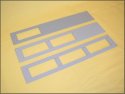
17000025, 17000026, & 17000027 - Rack Panels
Use a rack mounting panel to mount your DTM in to a 19" standard rack. The part numbers above are for one, two, or three DTMs, respectively.

17000058 - Instrument Support Bracket
An instrument support bracket is recommended for DTMs mounted using the rack panels listed above. This item is now included with all rack mounting DTMs, but 'twas not always so. Order part number.
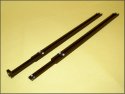
11901230, 11901240, & 11906-0000-0 - Probe Holders
Probe mounting is a difficult problem for many users, so we have developed a couple of probe holder options;
11901230 and 11901240 Probe Holders 11901230 for MPT type probes to be mounted transversely, 11901240 for MPT probes mounted axially.
21000002 and 21000003 - Plug Packs
The 21000002 and21000003 100-240Vac input; 12Vdc 1.5A output switch mode power supplies. The 21000002 has a screw-on DC plug and is included with all new DTMs. The 21000003 has a push-on DC plug and is for older models only.
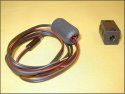
11000036 - Ferrite Kit
A ferrite kit for noise suppression is also available. This kit is applied to the power lead and probe cable and will help keep transients out of the DTM. Order part number:
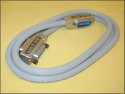
CIF-24 - IEEE-488 Cables
IEEE-488 cables are also available here in 0.5, 1.0, 2.0, 4.0, and 8.0 meters long. The part numbers are:
- CIF24-0.5m
- CIF24-1m
- CIF24-2m
- CIF24-4m
- CIF24-8m
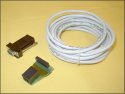
11000039 - RS-232 Cables - Hard Wire
These are simple copper wire cables and are suitable for use in labs or areas where noise pickup and transients are not a concern. They come in standard 5 and 10 meter lengths, with either male or female connectors. If noise, transients, or high voltage gradients are to traversed, use fiber optic cables.
RS-232C Cables:
- 11000039M-5m
- 11000039F-5m
- 11000039M-10m
- 11000039F-10m
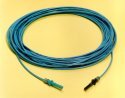
BC04265-10 - Fiber Optic Cables
When the protection from noise or voltage transients are required, or if the DTM is at a different voltage potential, then fibre optic commuication cables are the way to go. We offer several stock lengths, and custom lengths to 1000 meters are available.
Fiber Optic Cables:
- BC04265-10-1m
- BC04265-10-5m
- BC04265-10-10m
- BC04265-10-20m
- BC04265-10-40m
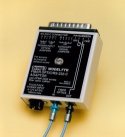
FTR - RS-232 to Fiber Optic Converters
Need to convert your RS-232 to fiber optic? We have just the thing: The FTR, an RS-232 to fiber optic converter.
Pricing
Digital Hall Effect Teslameters (Gaussmeters)
| Part No. | Description | Price | In Stock |
|---|---|---|---|
| DTM-133-DG | Digital Teslameter, 14 Bit Resolution, GPIB Interface | $3,600.00 | |
| DTM-133-DS | Digital Teslameter, 14 Bit Resolution, RS-232 Interface | $3,600.00 | |
| DTM-133-PG | Digital Teslameter, 14 Bit Resolution, GPIB Interface, Panel Mtg. | $3,600.00 | |
| DTM-133-PS | Digital Teslameter, 14 Bit Resolution, RS-232 Interface, Panel Mtg. | $3,600.00 |
Hall Probes, without temperature sensor, for DTM-133
| Part No. | Description | Price | In Stock |
|---|---|---|---|
| MPT-230-2s | Miniature Hall Probe, High Sensitivity. | $3,720.00 | |
| MPT-132A-2s | Thin Miniature Hall Probe, Standard Sensitivity. | $2,860.00 | |
| MPT-132-2s | Miniature Hall Probe, Standard Sensitivity. | $2,860.00 |
Probe Cable
| Part No. | Description | Price | In Stock |
|---|---|---|---|
| G3-PRBCBL-S | Extra length probe cable, shielded, price per meter. | $170.00 |
Accessories
| Part No. | Description | Price | In Stock |
|---|---|---|---|
| 11901230 | Probe Holder, aluminum, transverse | $150.00 | |
| 17000025 | Rack Mounting Panel, 1 Teslameter. | $160.00 | |
| 17000026 | Rack Mounting Panel, 2 Teslameters. | $180.00 | |
| 17000027 | Rack Mounting Panel, 3 Teslameters. | $190.00 | |
| 17000058 | Panel mount instrument support bracket. | $70.00 | |
| 11901240 | Probe holder, axial, aluminum. | $180.00 | |
| 21000002 | Power Supply, input: 120-240Vac, Output: 12Vdc, 1.5A. Screw-on DC plug. Included with all new DTMs. | $110.00 | |
| 21000003 | Power Supply, input: 120-240Vac, Output: 12Vdc, 1.5A. Push-on DC plug; For older DTMs only. | $110.00 | |
| 11000036 | Ferrite Kit, probe cable and power lead | $70.00 | |
| G3-AOC | Analong output cable, 0.7m, BNC. | $35.00 | |
| CIF24-1M | Cable, IEEE-488, 1 meter. | $160.00 | |
| CIF24-2M | Cable, IEEE-488, 2 meters. | $170.00 | |
| CIF24-4M | Cable, IEEE-488, 4 meters. | $200.00 | |
| CIF24-8M | Cable, IEEE-488, 8 meters. | $260.00 | |
| 11000039MV | Cable, DTM to RS-232c, 5 meters, DB9, Male. | $230.00 | |
| 11000039FV | Cable, DTM to RS-232c, 5 meters, DB9, Female. | $230.00 | |
| 11000039MX | Cable, DTM to RS-232c, 10 meters, DB9, Male. | $260.00 | |
| 11000039FX | Cable, DTM to RS-232c, 10 meters, DB9, Female. | $260.00 | |
| FTR | RS-232 to Fiber Optic Converter | $380.00 | |
| WDU9-100 | Plug Pack, input: 120Vac, output: 9Vdc, 100mA, for FTR | $25.00 |
Glass Cable
Stock Lengths with HP VersaLink termination
| Part No. | Description | Price | In Stock |
|---|---|---|---|
| BC04265-10-0.5 | Fiber Optic Cable, glass, 0.5 meter. | $25.00 | |
| BC04265-10-1 | Fiber Optic Cable, glass, 1 meter. | $25.00 | |
| BC04265-10-10 | Fiber Optic Cable, glass, 10 meters. | $60.00 | |
| BC04265-10-5 | Fiber Optic Cable, glass, 5 meters. | $40.00 | |
| BC04265-10-20 | Fiber Optic Cable, glass, 20 meters. | $100.00 | |
| BC04265-10-40 | Fiber Optic Cable, glass, 40 meters. | $180.00 |
Glass Cable
Custom Lengths to 500 meters with HP VersaLink termination
| Part No. | Description | Price | In Stock |
|---|---|---|---|
| BC04265-10 | Fiber Optic Cable, glass, price per meter. | $5.00 | |
| FOC-TERM-VLG | Termination charge, HP VersaLink, per cable | $20.00 |
Tooling and Parts for Fiber Optic Cables
| Part No. | Description | Price | In Stock |
|---|---|---|---|
| VK-6-200 | Termination Tool Kit, for BC04265-10 Fiber Optic Cable. | $1,580.00 | |
| BP042601-02 | Crimp & Cleave Connector, pack of 25 | $90.00 | |
| BP042601-01 | Crimp & Cleave Connector, pack of 25 | $90.00 |
Calibration – DTM, MPT Digital Teslameter/Gaussmeter
| Part No. | Description | Price | In Stock |
|---|---|---|---|
| DTM-CAL | Calibrate DTM-150/151/132 Teslameter Only | $1,160.00 | |
| DTM-MPT-SYS-CAL | Calibrate DTM-150/151/132 with MPT-141/231/132/230 Probe Head System | $2,390.00 | |
| MPT-CAL | Calibrate MPT-141/231/132/230 Probe Head Only | $1,480.00 |
Terms and Conditions
Terms and Conditions:
Prices above are for domestic deliveries to Canada, USA and Mexico only.
For deliveries in all other countries please contact Group3.
Prices are expressed in U.S. Dollars, FCA San Carlos, California.
Prices are subject to change without notice.
OEM discounts are available.
Payment:
Visa, MasterCard, Amex, Prepayment before shipment, or Net 30 days (subject to credit acceptance).
Delivery:
Stock to 90 days.